
For more than three decades, Adobe Photoshop has been the default name in professional image editing. It shaped entire industries—from photography and advertising to digital art and social media content creation. But in 2026, the question is no longer whether Photoshop is powerful. It clearly is. The real question is whether it still justifies its subscription cost in a world full of cheaper, and sometimes free, alternatives.
The answer depends heavily on what you do with images, how often you use advanced tools, and whether Adobe’s ecosystem is something you actually need—or just tolerate.
What Photoshop Does Best in 2026
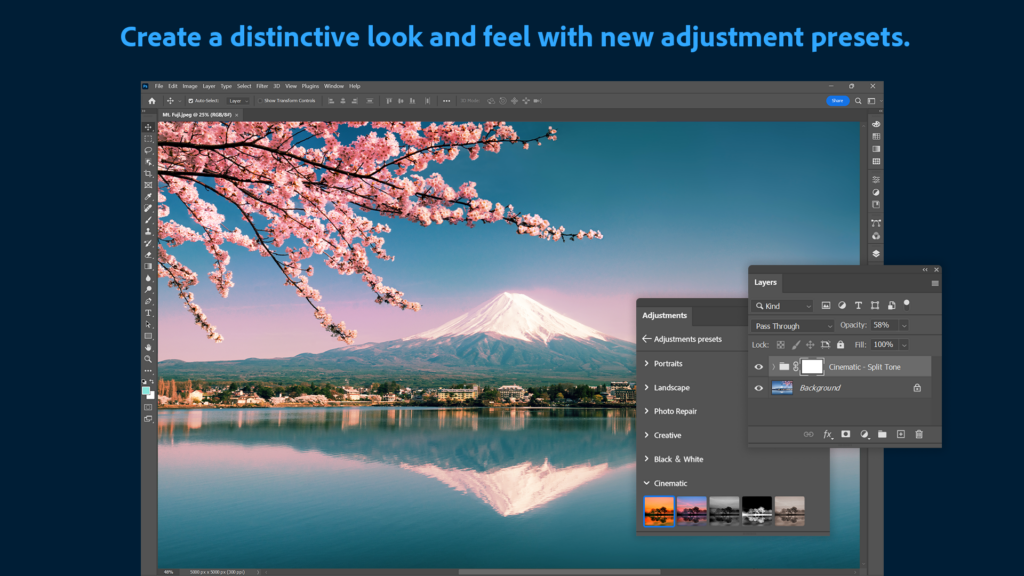
Photoshop remains the most complete image editing tool available. While many apps can handle basic edits like cropping, color correction, or filters, Photoshop still dominates when work becomes complex.
Its core strengths include:
- Advanced layer-based editing with unmatched control
- Professional retouching tools for skin, objects, and backgrounds
- Industry-standard compositing and photo manipulation
- High-end typography and layout tools
- Deep integration with RAW workflows via Adobe Camera Raw
For professionals working in photography, advertising, or design studios, Photoshop is still not just useful—it’s often required. Clients, agencies, and teams expect PSD files and Photoshop-compatible workflows.
But in 2026, the most significant evolution is not traditional editing. It’s AI.
AI Features: The Biggest Shift in Years
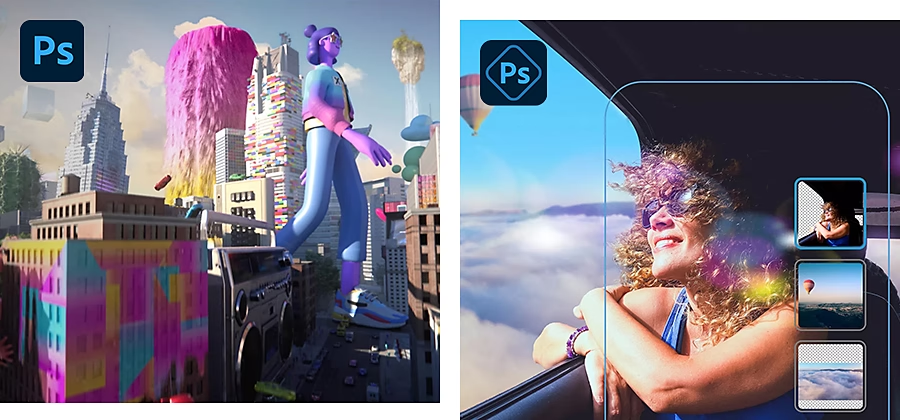
The introduction of AI-powered tools has fundamentally changed how Photoshop is used. Features like generative fill, intelligent object removal, and content-aware editing now allow users to achieve in seconds what once took hours.
Instead of manually cloning or masking complex areas, users can describe what they want, and Photoshop generates realistic results.
This shift has two major effects:
First, it lowers the barrier for beginners. Tasks that required advanced skill can now be done with minimal experience.
Second, it increases expectations for professionals. Faster workflows mean tighter deadlines and more polished outputs are expected across industries.
However, AI features also highlight a tension: while Photoshop is becoming easier to use, it is still locked behind a subscription model that may not make sense for casual users.
User Experience: Powerful but Heavy
Photoshop is extremely powerful, but that power comes with complexity. Even in 2026, the interface can feel overwhelming for beginners. There are dozens of panels, tool settings, and workflows that assume prior knowledge.
For professionals, this complexity is acceptable—even necessary. For casual users, it can feel like overkill.
Performance has improved significantly over the years, but Photoshop is still resource-intensive. Large files, multiple layers, and AI tools can slow down mid-range machines.
In short, Photoshop is not a lightweight app. It is a professional workstation tool that assumes you are doing serious work.
Pricing: The Real Point of Contention
Unlike older versions that could be purchased once, Photoshop is now part of Adobe’s subscription ecosystem under Adobe Creative Cloud.
This means users pay a recurring monthly fee rather than owning the software outright. While this ensures constant updates and cloud integration, it also creates long-term cost concerns.
Over time, users may end up paying significantly more than the old one-time purchase model. This is the main reason many users begin exploring alternatives.
For professionals, the cost is often justified by income generated through the tool. For hobbyists, students, or occasional users, the subscription can feel disproportionate to actual usage.
Who Photoshop Is Best For
Photoshop is not a universal tool. It is excellent—but only for the right users.
It is best suited for:
- Professional photographers who need advanced retouching
- Graphic designers working in agencies or branding
- Digital artists creating complex compositions
- Marketing teams producing high-volume visual content
- Freelancers who depend on client-compatible workflows
If your income or workflow depends on high-end image manipulation, Photoshop remains the industry standard.
However, if you only edit images occasionally, resize graphics, or create simple social media posts, Photoshop is likely more tool than you need.
Where Photoshop Feels Overpriced or Overkill
The biggest criticism of Photoshop in 2026 is not capability—it is efficiency relative to need.
Many users pay for features they rarely touch:
- Advanced masking tools
- 3D or advanced compositing features
- Professional color grading workflows
- High-end batch processing tools
For casual creators, these features are irrelevant, yet they are bundled into the subscription cost.
This is where competitors have gained traction by offering simpler, cheaper, or one-time purchase models.
Alternatives Worth Considering
The rise of strong alternatives has changed the editing landscape significantly.
One of the most notable competitors is Affinity Photo, which offers many Photoshop-like tools with a one-time purchase model. It appeals strongly to freelancers and designers who want professional capability without ongoing costs.
For free users, GIMP remains a capable option, especially for basic to intermediate editing. However, its interface and workflow can feel less polished compared to Photoshop.
Another increasingly popular option is Photopea, which runs entirely in the browser and mimics Photoshop’s interface closely. It is particularly useful for quick edits or users working on shared or low-spec devices.
These alternatives are not always perfect replacements, but they significantly reduce the monopoly Photoshop once had.
Strengths and Weaknesses Summary
Photoshop’s strengths in 2026 remain clear:
It is still the most powerful and flexible image editor available. Its AI tools are leading the industry, and its integration with other Adobe tools makes it a complete creative ecosystem.
However, its weaknesses are equally clear:
The subscription model is expensive for casual users. The software can be complex for beginners. And many users simply do not need its full range of capabilities.
Final Verdict: Is Photoshop Worth It in 2026?
The honest answer is: it depends entirely on your level of use.
If you are a professional creator who works with images daily, collaborates with clients, or depends on advanced editing workflows, Photoshop is still worth paying for. It remains the most complete and widely accepted tool in the industry.
If you are a casual user, student, or someone who edits images occasionally, Photoshop is likely overkill. There are cheaper and simpler tools that can meet your needs without the ongoing cost.
In 2026, Photoshop is no longer the only serious option—but it is still the most powerful one. The real decision is not whether it is good, but whether you need that level of power every month.
And for many users, that question alone is enough to reconsider the subscription.