
Subscription fatigue is real. What started as a convenient way to access software, entertainment, and productivity tools has turned into a growing monthly expense for millions of people. Between streaming services, AI assistants, note-taking platforms, design tools, and cloud storage providers, it’s easy to spend hundreds of dollars every month without realizing it.
The good news? A new generation of affordable and free applications is helping users reduce their subscription costs without sacrificing functionality. Whether you’re a student, freelancer, entrepreneur, or simply looking to cut unnecessary expenses, these apps offer impressive alternatives to some of the most expensive recurring services on the market.
Here are five apps that can help you save money while staying productive.
1. Notion Instead of Multiple Productivity Subscriptions
Many users pay separately for task management apps, note-taking software, project planners, and team collaboration tools. The costs can quickly add up when subscriptions are stacked together.
Notion has become one of the most versatile productivity platforms available because it combines several functions into a single workspace. Users can create notes, manage projects, build databases, organize documentation, and collaborate with teams without switching between multiple apps.
Instead of maintaining subscriptions for separate tools dedicated to note-taking, project management, and documentation, many individuals and small teams find that Notion can handle most of their workflow in one place.
Why it saves money:
- Combines multiple productivity functions
- Generous free plan for individuals
- Reduces the need for several separate subscriptions
- Suitable for personal and professional use
For users looking to simplify their digital workspace, consolidating tools often results in both financial savings and improved efficiency.
2. Canva Instead of Expensive Design Software
Professional design software is powerful, but not everyone needs advanced features designed for full-time graphic designers.
Canva has transformed how individuals and businesses create visual content. With thousands of templates, drag-and-drop editing, and AI-powered design features, users can create social media graphics, presentations, marketing materials, resumes, and videos without extensive design experience.
Small businesses, content creators, and freelancers often discover that Canva provides everything they need for day-to-day design tasks at a fraction of the cost of traditional design suites.
Why it saves money:
- Easy-to-use design tools
- Large template library
- Supports image, video, and presentation creation
- Affordable premium plans and useful free version
For many users, Canva eliminates the need to invest in expensive design subscriptions while still producing professional-looking content.
3. Proton Drive Instead of Premium Cloud Storage Plans
Cloud storage has become essential for both personal and professional use. However, many people continue paying premium rates for storage they don’t fully utilize.
Proton Drive offers secure cloud storage with a strong emphasis on privacy and encryption. Built by the team behind Proton Mail, the service provides encrypted file storage designed to keep sensitive information protected from unauthorized access.
For users who prioritize privacy and want a dependable alternative to more expensive cloud storage subscriptions, Proton Drive presents a compelling option.
Why it saves money:
- Competitive pricing
- End-to-end encryption
- Integrated privacy-focused ecosystem
- Reliable storage and file sharing features
As privacy concerns continue growing, services that combine affordability with security are becoming increasingly attractive.
4. Obsidian Instead of Premium Knowledge Management Tools
Many professionals pay monthly fees for specialized knowledge management platforms designed to organize research, notes, and ideas.
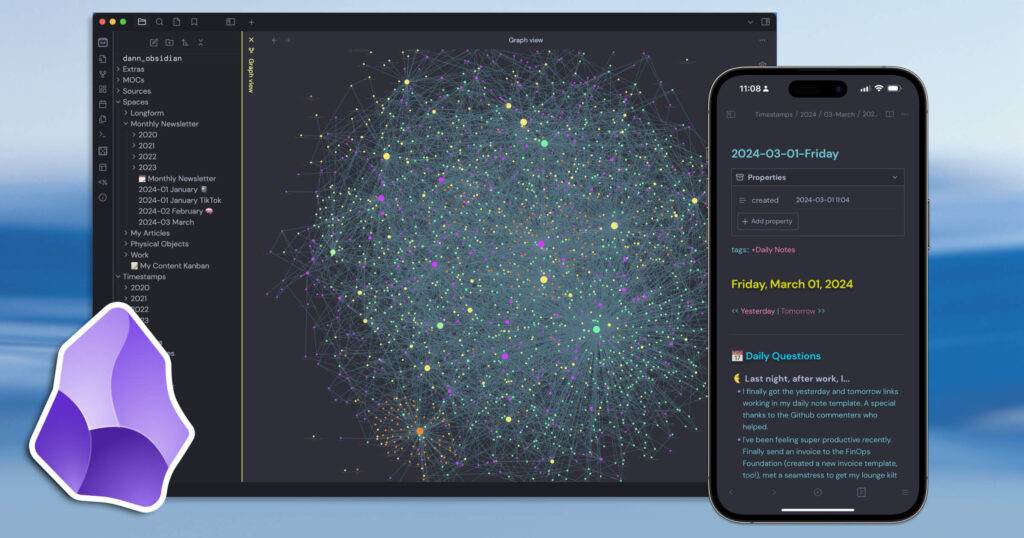
Obsidian takes a different approach. The app stores notes locally and allows users to build interconnected knowledge systems using simple markdown files. Its flexibility has made it popular among writers, researchers, students, and professionals who manage large amounts of information.
One of Obsidian’s biggest advantages is ownership. Because notes are stored as standard files, users are not locked into a proprietary ecosystem.
Why it saves money:
- Free for personal use
- Local file ownership
- Extensive plugin ecosystem
- Powerful organization and linking features
Users who enjoy customizing their workflow often find Obsidian capable of replacing more expensive note-management subscriptions while offering greater flexibility.
5. ChatGPT for Multiple Specialized AI Subscriptions

The rise of artificial intelligence has introduced a new category of subscriptions. Many people now pay separately for writing assistants, research tools, brainstorming apps, coding helpers, and productivity AI platforms.
Modern AI assistants can often consolidate many of these functions into a single service. ChatGPT, for example, can help users draft content, summarize information, brainstorm ideas, generate code, create outlines, explain complex topics, and assist with research workflows.
Instead of maintaining subscriptions across several narrowly focused AI tools, users may find that one capable AI assistant covers most of their needs.
Why it saves money:
- Multiple use cases within one platform
- Useful for writing, research, coding, and learning
- Flexible for personal and business tasks
- Can reduce the need for several specialized AI tools
As AI capabilities continue to improve, consolidation is becoming one of the most effective ways to reduce software expenses.
How to Evaluate Subscription Alternatives
Before canceling any subscription, consider the following questions:
Do you use all the features?
Many users pay for advanced capabilities they rarely use. Reviewing actual usage can reveal opportunities to downgrade or switch services.
Is there overlap?
Subscription overlap is common. Two or three tools may be performing similar functions without users realizing it.
Is the free plan sufficient?
Many modern applications offer surprisingly capable free versions that meet the needs of individual users.
Can one tool replace several?
Consolidation is often where the biggest savings occur. Replacing multiple subscriptions with a single versatile platform can significantly reduce monthly expenses.
Final Thoughts
Subscription costs tend to accumulate gradually. A few dollars here and there may not seem significant, but over the course of a year, multiple recurring payments can represent a substantial expense.
Apps like Notion, Canva, Proton Drive, Obsidian, and ChatGPT demonstrate that users no longer need to accept high monthly fees as the only path to productivity and convenience. By evaluating your current subscriptions and exploring modern alternatives, you may discover opportunities to save money while maintaining—or even improving—your workflow.
The best approach is to periodically review every recurring payment and ask a simple question: “Am I getting enough value from this subscription?” In many cases, the answer may lead you toward a smarter and more affordable alternative.